How do I compile C++ in Terminal app on Mac.
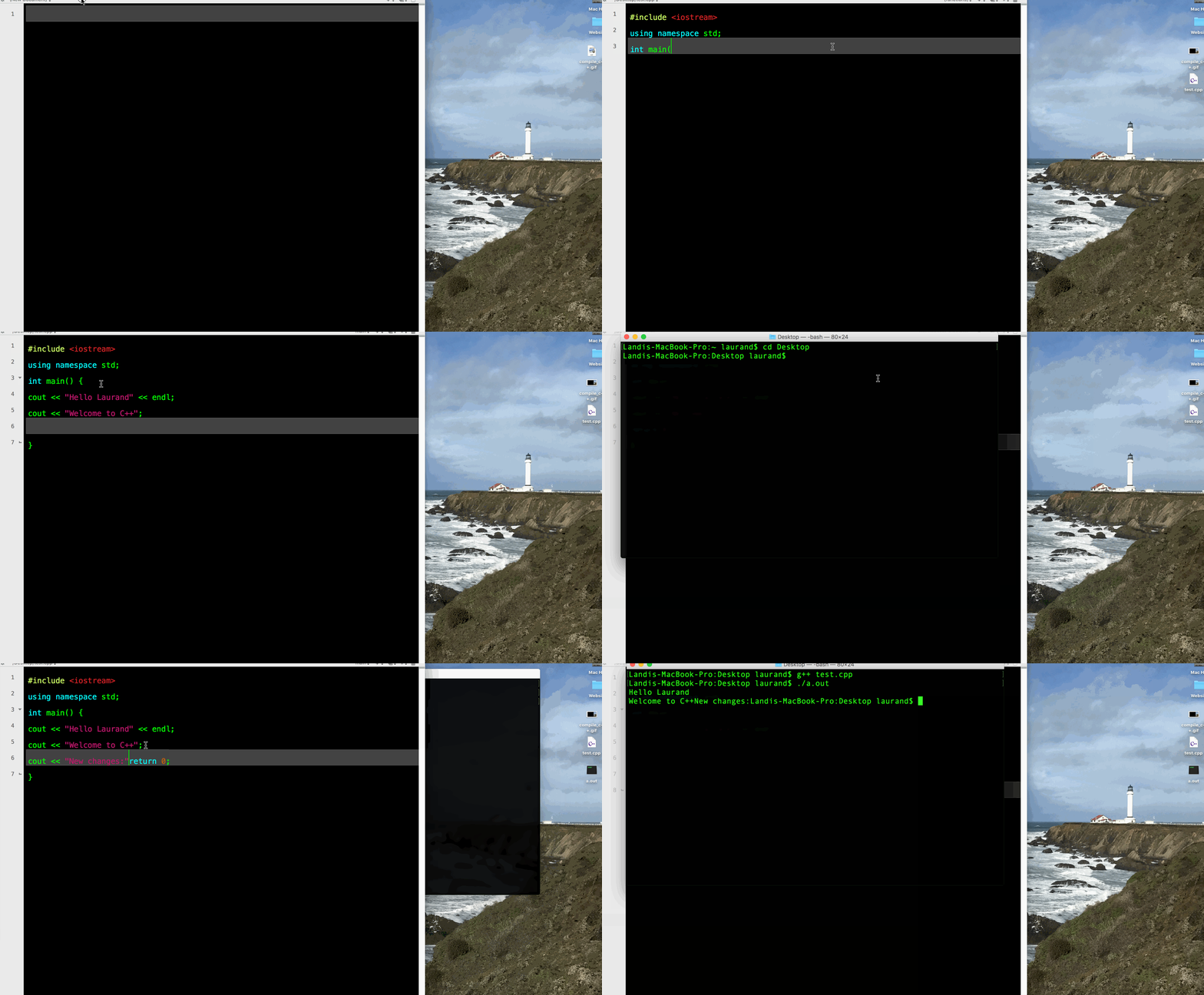
First with a text editor saving on my desktop a file named as test.cpp.
Writing a few lines of code to welcome myself to c++.
Opening Terminal app and typing in cd desktop, on desktop is where the test.cpp is located.
cd Desktop
The [Enter] key must be pressed after the line is entered, actually each new line I must press [Enter] key.
g++ test.cpp
Press enter key on my keyboard.
./a.out
Press [Enter] key on my keyboard, a file named as a.out automatically will be saved on the desktop.
Now as you see at the gif file below the "Hello Laurand Welcome to C++" text will be printed at Terminal app.
Let's say I want to make new changes to the code, I go back to my test.cpp writing new code and saving the file, each new changes I make I must save the code project.
g++ test.cpp
./a.out
Last update .